
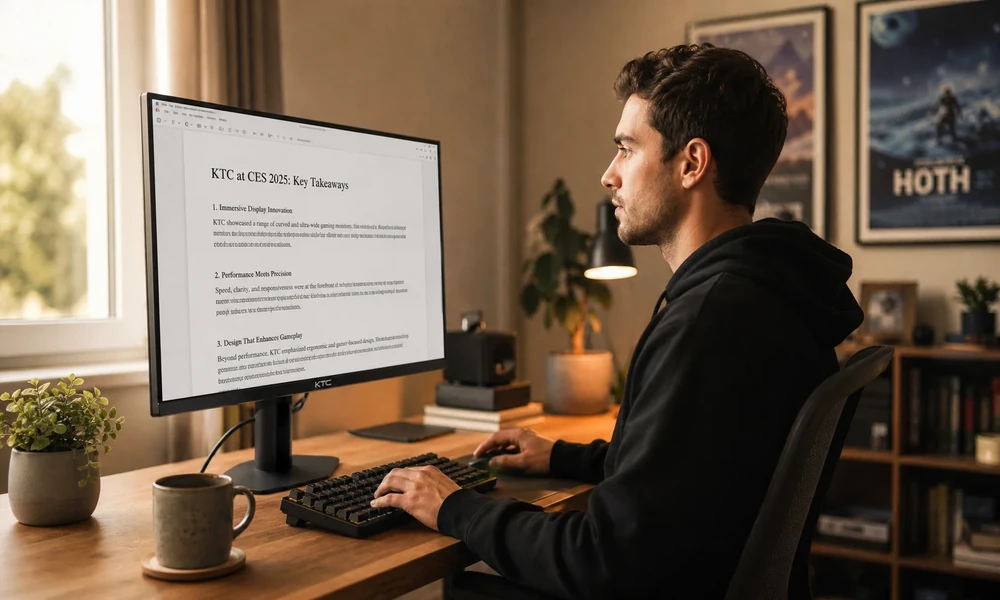

Twelve hours into a graveyard shift, a night-supervisor at a regional traffic management center notices her operators are leaning forward, shoulders hunched, eyes squinting at a wall of screens. Nobody called in sick. The monitors didn’t move. But by hour ten, every operator had unconsciously pulled themselves three inches closer to the displays to compensate for mounting visual fatigue. That small drift is the ergonomics problem most control room managers never measure.
Chair height gets adjusted. Desk surfaces get swapped for sit-stand models. But monitor viewing distance, specifically the focal depth between an operator’s eyes and each screen in a multi-monitor array, tends to get set once during installation and then left alone forever. That’s a problem worth fixing, and the research backs it up.
The Real Cost of a Fixed Focal Plane
Control room work is visually relentless. Public safety telecommunicators work in emergency communication centers called public safety answering points, and these workers usually have shifts that include evenings, weekends, and holidays to provide round-the-clock coverage. Most dispatchers work 8- to 12-hour shifts, meaning their eyes hold focus on the same fixed screen distances for the entire duration, according to the U.S. Bureau of Labor Statistics (2024).
When that focal distance is slightly wrong, the eyes fight to compensate on every single glance. Repeat that a few thousand times per shift, and the result isn’t just discomfort. It’s measurably higher cognitive load and slower response time. The body is spending energy on the act of seeing rather than on the act of deciding.
A peer-reviewed study published in Applied Ergonomics and available via PubMed Central examined visual ergonomics across nine control rooms in the process industry and found that operators experienced significantly higher visual fatigue and blurred vision, and visual demands were increased in conditions that included frequent changes of focusing distances. That last phrase is the one that matters for multi-monitor control rooms: every time an operator shifts their gaze from a near screen to a far screen and back, the visual system does work. When those screens sit at uneven or poorly matched depths, that work compounds.
Why Multi-Monitor Arrays Make the Problem Worse
Single-monitor setups are already challenging at 12 hours. Add a second or third screen, and the geometry gets complicated fast.
A 2025 narrative review published in the International Journal of Industrial Ergonomics found that dual monitors improve task performance but increase neck and visual strain, and the ergonomic and productivity impact depends heavily on monitor layout, task type, and screen size. That trade-off is exactly what control room designers often miss. You buy productivity when you add screens. You pay for it in operator fatigue if you don’t match focal depth across the entire array. The full review is available at ScienceDirect (2025).
The geometry issue is specific. In a curved or tiered monitor array, the near edge of a wide screen sits at a different focal distance than the far edge. Add a second row of monitors above the first, and you now have four or more distinct focal planes competing for the operator’s visual system. The body can adapt. But adaptation costs concentration, and in mission-critical environments, concentration is the entire product.
“From the proper setting of screen focal lengths to sound absorption and glare reduction, each requirement and phase of a control room design must be addressed to support long-duration operator performance,” said Jim Coleman, National Sales Manager at AFC Industries, as quoted in an industry ergonomics analysis by Security Informed.
That framing is exactly right. Focal depth isn’t decoration. It belongs in the same checklist as lighting and acoustic treatment.
The V-D-A Method: A Practical Framework for Evaluating Focal Depth
Here’s a framework you can actually use when auditing your control room before a furniture refresh. Call it V-D-A: View, Drift, and Adjust.
View means observing your operators during the back half of a long shift, not the first two hours. Posture changes that appear after hour six are the honest signal. Are operators leaning in? Tilting their head back? Those are focal compensation behaviors, not comfort choices.
Drift is the gap between where the monitors were installed and where operators are actually positioned relative to them during peak cognitive load. Measure it. Pull out a tape. If the gap is more than two inches from the intended focal distance, your setup needs adjustment capability, not just a one-time calibration.
Adjust is the hardware question. Can your current monitor mounts actually move the entire array forward and back as a unit, without an operator having to reposition each screen individually? If the answer is no, you don’t have an ergonomic setup. You have a fixed one that was measured once.
This is where adjustable focal depth monitor stands become operationally important rather than just a nice-to-have. The ability to shift a full monitor array in or out across a meaningful range, without disrupting individual screen angles or cable routing, directly addresses the Drift and Adjust phases of the audit. It’s the difference between a workstation that was ergonomic at installation and one that stays ergonomic across every operator, every shift, every body type.
Who Actually Needs This, and When
Not every control room has the same risk profile. Here’s how to prioritize:
- 24/7 operations with rotating staff carry the highest focal depth risk, because each operator has a different arm span, seated eye height, and preferred working posture. A fixed monitor distance optimized for one operator body type is wrong for the next one.
- Facilities running 10- or 12-hour shifts see fatigue compound more aggressively than those on standard 8-hour rotations. The longer the shift, the more the accumulated visual load matters.
- Command centers using dual-row monitor configurations have built-in focal depth variation by design. Without hardware that can compensate, operators are managing multiple focal planes simultaneously through the entire shift.
- Agencies planning a new build or a console refresh have the clearest opportunity. Baking adjustable focal depth capability into the spec costs less than retrofitting it later, and the operator health return is immediate.
Making the Case to Facilities and Procurement
The standard objection to purpose-built, adjustable control room furniture is cost. And it’s fair. These workstations aren’t cheap. But the comparison needs to include turnover, because control room operator retention is a genuine operational challenge.
Physical discomfort, including chronic visual fatigue from poorly positioned monitors, is a documented driver of attrition in shift-work environments. When a trained dispatcher leaves, the replacement cost includes recruitment, background investigation, and months of training before the new hire is operating at full effectiveness. A workstation that keeps operators physically comfortable across a 12-hour shift isn’t a luxury purchase. It’s a retention investment with a calculable payoff.
Run the math. If your facility turns over two trained operators per year partly due to physical discomfort factors, and replacement costs run five figures each, the capital difference between a basic fixed console and an ergonomically adjustable one starts looking very different. The honest version of the procurement conversation is that you’re not comparing desk prices. You’re comparing total costs over a five-year equipment lifecycle.
One Quick Audit You Can Do This Week
Before your next procurement conversation, spend 20 minutes with a tape measure and a notepad during the last two hours of your longest shift. Record three things: the distance from each operator’s eyes to the nearest monitor face, whether that distance matches your facility’s intended focal depth spec, and how many operators have visibly altered their seated position to compensate. You may not need new data to make the case. The data is probably already there, in the posture of your operators at hour ten.
Visual ergonomics in control rooms tends to be a problem that’s obvious in retrospect. The operators who’ve been leaning forward for three years didn’t file a complaint. They adapted. Your next step is to stop making them.