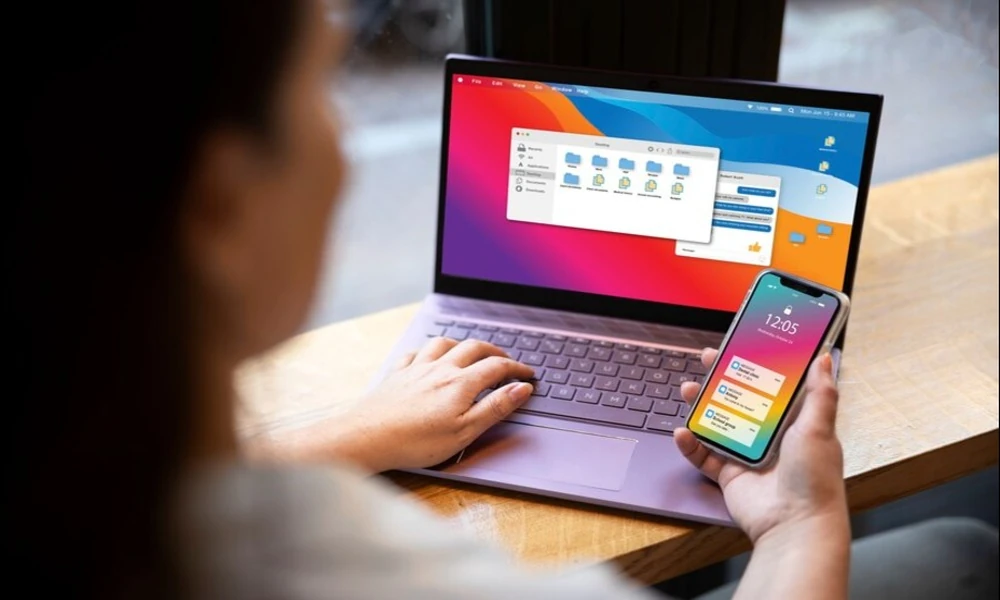

The laptop is often the unexpected reason a phone plan stops feeling generous. You might connect it for a quick email when home Wi-Fi is down, then discover that it has downloaded large files or synchronised an entire folder. What seemed like a five-minute backup connection becomes a substantial chunk of the month’s mobile allowance.
Tethering can be useful for students, home-based workers and business travellers, but the details matter. A domestic plan may allow hotspot from one data bucket, while an overseas roaming pass may have a completely different rule. Choosing based only on the total data figure is therefore a poor shortcut.
Understand the difference between phone use and tethering
On a handset, mobile operating systems often manage downloads and background activity carefully. A laptop may assume the connection is unrestricted. Desktop websites can load heavier assets, cloud drives may sync full-size files, and work applications may download attachments without asking.
Before tethering, set the laptop’s connection to metered mode if supported. Pause operating-system updates, automatic backups and large synchronisation jobs. If possible, complete those tasks on trusted Wi-Fi before leaving home. This simple adjustment protects a mobile allowance much more effectively than watching a data counter every few minutes.
Check the domestic hotspot rules
When reviewing best prepaid mobile plans, do not assume all of the advertised data can be shared with a laptop. Check whether hotspot comes from the main high-speed allowance, has a separate quota, or is subject to conditions. redONE’s current prepaid products offer different benefits and eligibility rules depending on the pass, so read the specific terms rather than transferring assumptions from another plan.
Also check whether the allowance resets after 30 days, whether unused data carries forward and what speed is available after the quota is used. Reduced speed may be fine for light messaging but frustrating for large online documents or meetings.
A new phone is not a substitute for the right allowance
Some postpaid phone plans can be appealing when a bundle offers a newer device with a faster modem or stronger battery. But the subscription and device purchase are separate value questions. Even an excellent phone cannot make a restrictive hotspot quota larger or give a traveller roaming rights that are not included.
Consider the practical device requirements first: battery health, Wi-Fi hotspot performance, supported network bands and whether the handset can reliably connect a laptop. Then compare the total cost of buying the device outright with any contract offer.
Roaming hotspot may not be allowed
Before using a laptop outside Malaysia, check phone roaming charges and read the specific pass’s tethering conditions. Some prepaid roaming offers do not permit hotspot sharing. If you are planning to work from overseas using a laptop, choosing an unsuitable data-only pass could leave you with a working phone but no permitted laptop connection.
Do not infer eligibility from a phone’s ability to display the hotspot switch. The device may technically support sharing even when a particular roaming product prohibits it. Confirm the policy before relying on that connection for a work meeting.
How much data might a laptop use?
There is no reliable single figure because laptop activity varies enormously. A short text email may be negligible, while a video meeting, software update or cloud upload can be substantial. Rather than use a generic estimate, measure a real session in your operating system and note which applications were active.
That data becomes valuable when selecting a plan. Someone tethering for ten minutes a month needs different allowances from someone spending half a working week on mobile internet. Overbuying to cover a rare outage may be unnecessary, but underbuying when mobile data is a work requirement can be disruptive.
Prepare for a Wi-Fi outage properly
The best time to test your backup connection is before you need it. Check that the phone and laptop connect, that the mobile plan permits the usage and that passwords are secure. Do not leave the hotspot open or use an easy-to-guess password. Turn it off once the session ends.
A power bank or charger may be necessary because hotspot can drain the phone’s battery. For longer sessions, monitor handset temperature and place it somewhere with airflow rather than underneath a laptop or inside a bag.
Travelling with a laptop changes the calculation
A business trip or study programme adds complications: different countries, unfamiliar Wi-Fi networks, calls back to Malaysia and potentially large documents. If the provider’s travel pass does not support hotspot, consider a permissible alternative rather than trying to work around the rules.
Use verified accommodation networks carefully and keep sensitive data protected. A roaming pass may help with phone communication while a separate approved connection serves the laptop. The right arrangement depends on the work, destination and available services.
Treat hotspot as an occasional tool or a defined requirement
If hotspot is only an emergency backup, plan for small, controlled sessions and keep important files offline. If you use it as a regular work connection, measure the demand and choose a package that legitimately supports it. In both cases, the best-value mobile plan is one whose hotspot terms match how you intend to use it – at home and abroad.
Protect the connection when other people are sharing it
Using a personal hotspot with friends or colleagues can seem harmless, but the account holder remains responsible for the data consumed. If several devices connect, it becomes much harder to know which one has started an update or a high-resolution stream. Give hotspot access only when necessary, use a strong password and remove unused connected devices when the task is finished.
For travellers, also think about battery drain. A phone providing data to several devices may heat up and run down faster, especially in warm environments. Keep it ventilated and connected to an appropriate power source when possible. If you need shared access for a group throughout the day, compare legitimate solutions designed for that use rather than assuming one small handset pass can comfortably support everyone.
Distinguish a five-minute rescue from an all-day connection
A hotspot used briefly to send an important document is a very different proposition from tethering a laptop for a full working day. The former may fit comfortably within a modest domestic allowance. The latter demands attention to data volume, device battery, security and service reliability. You should not judge both situations using the same cost estimate.
Try timing a real working session and checking the data counter afterwards. If you need the connection often, include all the data-consuming activities you would normally perform, rather than testing only a single email. If this requirement is overseas, confirm that the roaming terms permit the usage before making it part of your travel arrangements. A realistic test is more valuable than guessing from a headline quota.
Frequently asked questions
Can I share any mobile data allowance with a laptop?
Not always. Check the specific plan’s hotspot quota and restrictions. Some roaming passes have different rules from domestic service.
Why does a laptop consume mobile data so quickly?
Automatic updates, cloud synchronisation, desktop websites, attachments and video calls can be much heavier than ordinary phone messaging.
Is it safe to use a phone hotspot for work?
A password-protected personal hotspot can be useful, but protect devices, use secure services and follow your organisation’s security requirements.
Does a newer 5G phone solve hotspot limitations?
No. Device capability and plan allowance are different things. A newer phone does not remove contractual or pass-specific restrictions.
What should I check before travelling with a laptop?
Check hotspot eligibility overseas, destination coverage, data requirements, power arrangements, security and alternative Wi-Fi options.